Creating a business presentation is not just about putting information into slides. A strong presentation needs a clear structure, logical flow, and a story that helps the audience understand the main idea quickly.
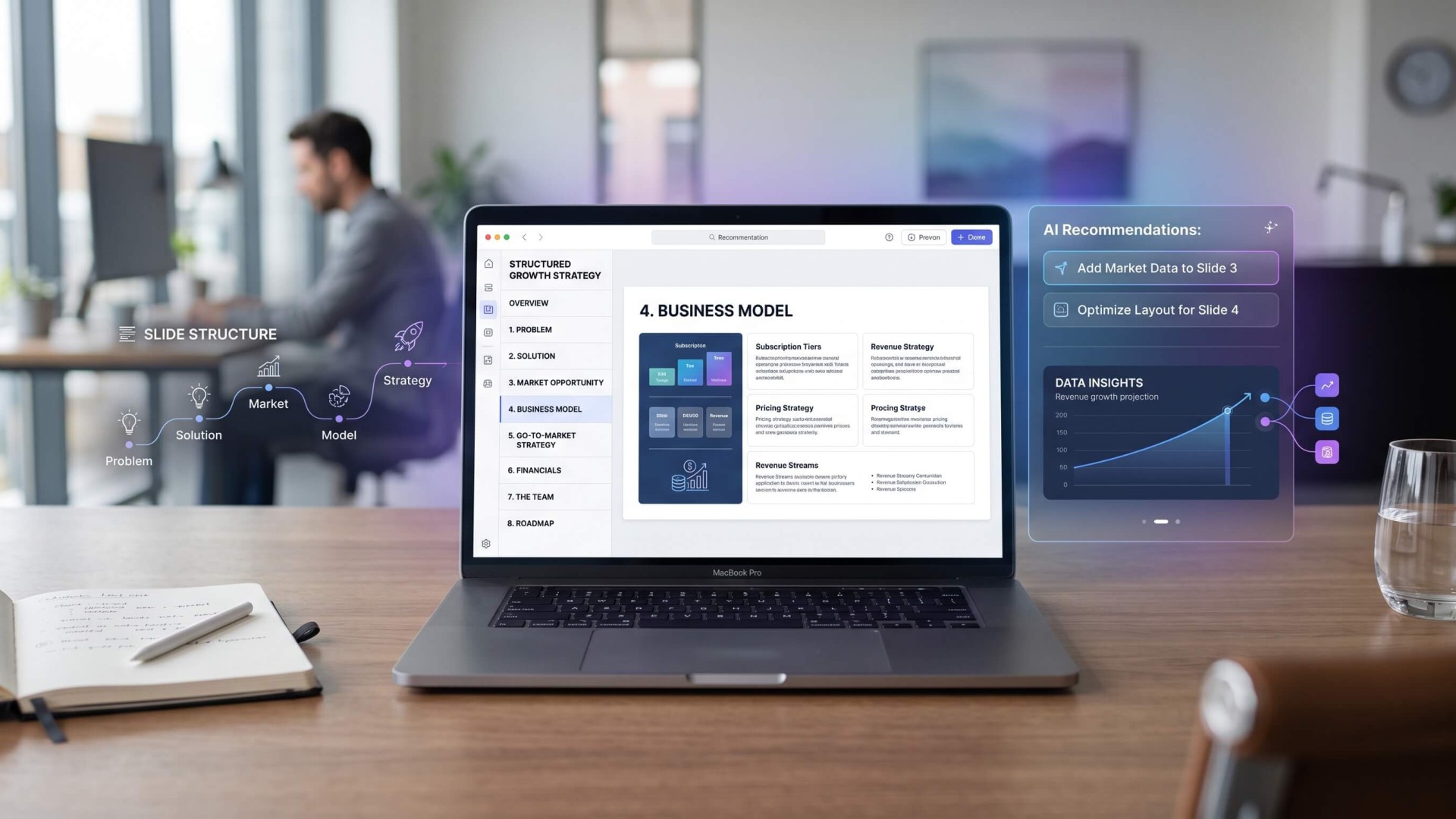
This is where an AI presentation workflow can make the process easier. Instead of starting with a blank PowerPoint file, you can use AI to organize your ideas, define the presentation structure, identify missing information, and turn rough notes into a logical slide outline.
Whether you are preparing a sales presentation, business proposal, company presentation, strategy deck, or investor presentation, AI can help you move from an idea to a structured presentation much faster.
What Is an AI Presentation?
An AI presentation is a presentation created or structured with the help of artificial intelligence. AI tools can assist with different parts of the presentation process, including brainstorming, outlining, writing slide content, summarizing information, and generating visual concepts.
However, the most useful application of AI is not simply generating slides automatically. The real value comes from using AI to improve the structure and logic of your presentation.
A well-structured presentation should answer several basic questions:
- What is the purpose of the presentation?
- Who is the audience?
- What problem or opportunity are you discussing?
- What information does the audience need to understand?
- What action should the audience take after the presentation?
AI can help you answer these questions before you start designing individual slides.
Why Structure Matters More Than Slide Design
It is easy to focus on fonts, colors, animations, icons, and layouts when creating a presentation. But attractive slides cannot compensate for a confusing story.
A business presentation should guide the audience from one idea to the next. Each slide should have a purpose and contribute to the overall message.
For example, a business proposal might follow this flow:
- Introduction and context
- Current problem
- Opportunity
- Proposed solution
- Business model
- Market opportunity
- Competitive landscape
- Implementation strategy
- Expected results
- Next steps
Instead of asking AI to immediately generate ten slides, start by asking it to create and review the narrative behind those slides.
Step 1: Define the Goal of Your Presentation
The first step in using AI to create a business presentation is defining the objective.
Different objectives require different presentation structures. A sales presentation, for example, should focus on customer problems, product benefits, proof, and the next step. An investor presentation requires a different structure that may include the market, business model, traction, competition, and financial opportunity.
You can give an AI tool a simple instruction such as:
“I need to create a business presentation for a potential client. The goal is to explain our digital marketing service and convince the client to schedule a strategy meeting. Suggest a logical presentation structure.”
The AI can then suggest an initial framework that you can refine based on your actual business information.
Step 2: Give AI Your Raw Information
Do not worry about making your initial input perfect. AI works particularly well when you provide raw information and ask it to organize the material.
You can provide:
- Company information
- Product descriptions
- Customer problems
- Market research
- Sales data
- Business goals
- Competitive information
- Product features
- Customer testimonials
- Financial information
For example, instead of manually deciding where every piece of information belongs, ask AI to categorize the information into a presentation structure.
A useful prompt could be:
“Organize the following business information into a presentation structure. Group related information together, remove unnecessary repetition, identify missing information, and suggest the purpose of each slide.”
This turns AI from a simple writing assistant into a presentation planning tool.
Step 3: Build the Presentation Narrative
Once AI has your information, ask it to build a narrative.
A business presentation generally works better when it moves through a logical sequence rather than presenting disconnected facts.
A simple narrative framework is:
- Context: What is happening?
- Problem: What needs to be solved?
- Insight: What have you discovered?
- Solution: What are you proposing?
- Proof: Why should the audience believe it?
- Impact: What happens if the solution works?
- Action: What should happen next?
This structure can be adapted to many types of business presentations.
For example, a product presentation might start with a customer problem, introduce the product as a solution, demonstrate how it works, provide evidence, explain the commercial opportunity, and finish with a call to action.
Step 4: Turn the Narrative Into a Slide Outline
After defining the story, use AI to convert it into individual slides.
Instead of asking for generic slide titles, ask AI to define the purpose of each slide.
A useful output might look like this:
- Slide 1 — Title: Introduce the business and presentation objective.
- Slide 2 — The Challenge: Explain the main customer or market problem.
- Slide 3 — Market Opportunity: Show the size and relevance of the opportunity.
- Slide 4 — The Solution: Explain how the product or service addresses the problem.
- Slide 5 — How It Works: Demonstrate the product or process.
- Slide 6 — Business Model: Explain how the business generates revenue.
- Slide 7 — Competitive Advantage: Explain the key differentiation.
- Slide 8 — Evidence: Present traction, results, testimonials, or case studies.
- Slide 9 — Growth Strategy: Explain how the business plans to expand.
- Slide 10 — Next Step: Tell the audience what action to take.
This gives you a presentation blueprint before you spend time designing the slides.
Step 5: Use AI to Improve Each Slide
Once you have the outline, AI can help refine individual slides.
For each slide, ask AI to provide:
- A clear slide headline
- A one-sentence key message
- Supporting points
- Recommended data or evidence
- Suggested visual format
- A concise speaker note
For example, instead of creating a slide titled “Market,” ask AI to turn the underlying information into a message-driven headline such as “The Market Is Growing as Businesses Shift More Workflows to AI.”
The second version communicates an idea. The first simply identifies a topic.
Step 6: Ask AI to Reduce Information Overload
One common problem with business presentations is trying to put too much information on every slide.
AI can help identify content that should be removed, combined, or moved into speaker notes.
Try asking:
“Review this slide content and reduce it to the three most important points. Preserve the meaning but remove repetition, unnecessary explanations, and secondary information.”
You can also ask AI to classify information into three categories:
- Must show: Information the audience needs to see.
- Can explain: Information better delivered verbally.
- Can remove: Information that does not contribute to the presentation objective.
This approach helps keep an AI PowerPoint presentation focused rather than overloaded with automatically generated text.
Step 7: Use AI to Recommend Visuals
A presentation is not a document split across multiple slides. Visual communication matters.
Once the content structure is ready, ask AI to recommend the appropriate visual format for each slide.
For example:
- Market size → chart or data visualization
- Business process → flow diagram
- Product architecture → system diagram
- Competitive positioning → positioning map
- Timeline → horizontal roadmap
- Business model → revenue flow diagram
- Customer journey → journey map
- Product features → structured feature cards
This is one area where presentation AI can help bridge the gap between written content and visual storytelling.
Step 8: Turn the Structure Into a Professional Presentation
After the structure, content, and visual direction are ready, you can move into the design stage.
A professional presentation template can significantly reduce the amount of time required to create consistent layouts. Instead of designing every slide from scratch, you can focus on adapting the content to an established visual system.
For business presentations, Appiqa's Pitch Deck Templates can be used as a starting point for building structured presentations with professionally designed layouts.
The important principle is to let AI help with the thinking and organization while the presentation template provides a consistent visual framework.
Step 9: Review the Presentation Like Your Audience
Before presenting, ask AI to review the complete structure from the perspective of your target audience.
For example:
“Review this business presentat