
Building an Agent Workflow Control Plane with Agy CLI
AI coding agents can write code, but reliable software development requires more than prompting and iteration. Explore an Agent Workflow Control Plane that coordinates planning, execution, verification, and recovery through customizable automation policies.
1. The Problem: Manual AI Coding Iteration {#the-problem}#
AI coding tools have significantly changed how developers implement software. A developer can describe a feature, provide project context, and let an agent handle a substantial portion of the implementation.
However, generating code is only one part of building reliable software.
A production application may require requirements analysis, architecture decisions, UI implementation, API development, database migrations, testing, security reviews, and deployment preparation. Each stage has different acceptance criteria and risk levels.
When every stage depends on manual prompting, several problems emerge:
- Context fragmentation: project decisions and implementation details become scattered across conversations.
- Unstructured iteration: agents may repeat unsuccessful approaches without a clear retry policy.
- Inconsistent verification: the definition of a completed task depends too heavily on manual inspection.
- Limited visibility: developers cannot easily see which tasks are running, blocked, awaiting review, or ready for acceptance.
- Weak process reuse: a successful workflow must often be reconstructed for the next project.
The answer is not necessarily to create more agents. Adding agents without coordination can introduce more complexity, duplicated work, and conflicting changes.
The more useful direction is to separate the execution of coding tasks from the system responsible for coordinating them.
2. What Is an Agent Workflow Control Plane? {#what-is-a-control-plane}#
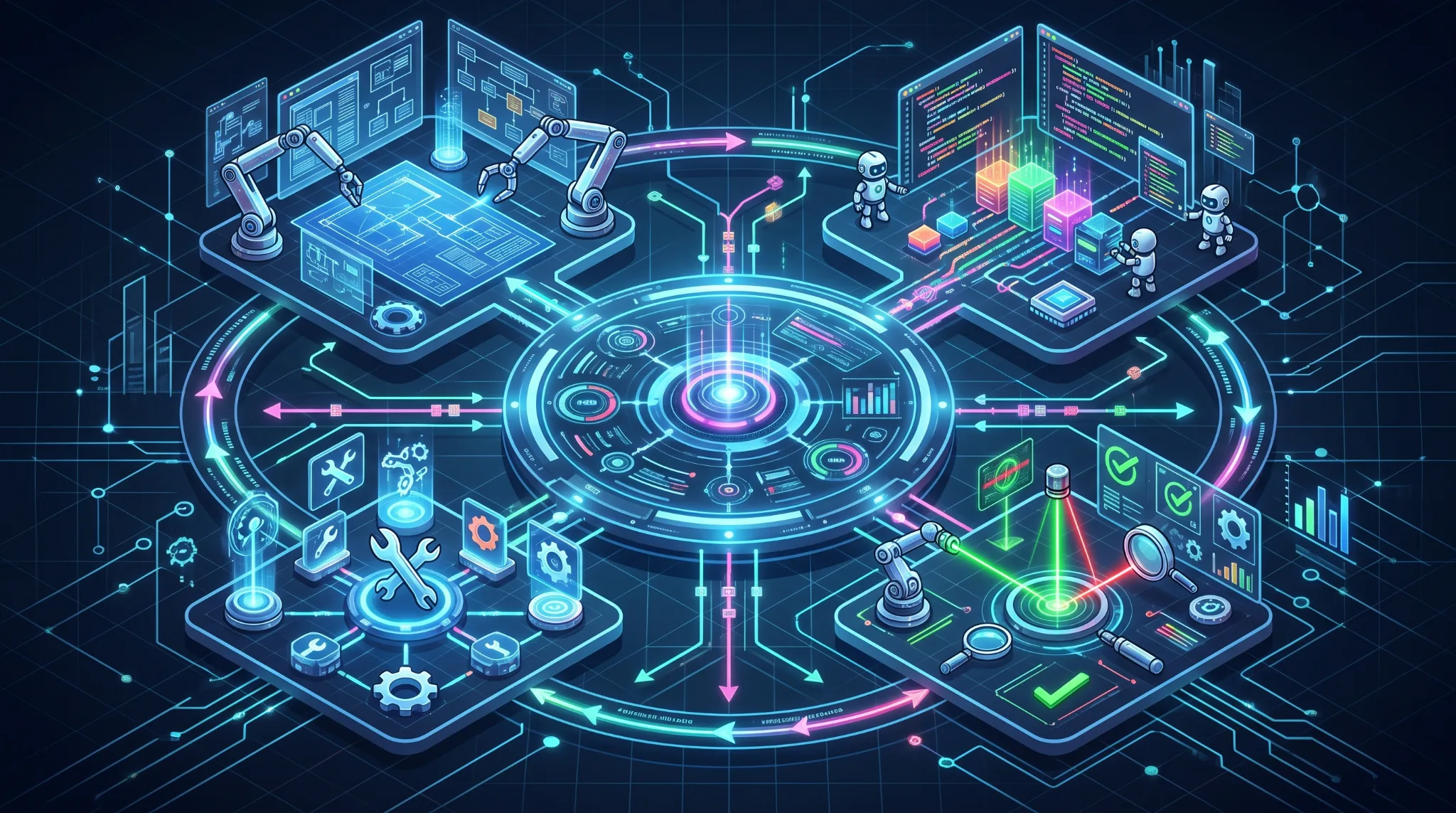
An Agent Workflow Control Plane is an application that manages how AI agents perform software development tasks.
It sits between the developer, the project repository, and the available agent runtimes.
Instead of relying on a developer to manually orchestrate every interaction, the control plane maintains task states, executes defined workflows, evaluates verification results, and requests human intervention when required.
Its responsibilities include:
- Project and repository management.
- Task planning and dependency tracking.
- Workflow execution and scheduling.
- Agent runtime integration.
- Automated verification and review.
- Retry limits and failure recovery.
- Human approval and audit logging.
The control plane does not need to replace existing coding tools. It can use an existing CLI, such as Agy CLI, as its execution engine, provided the required execution and output-handling capabilities are supported.
This separation creates a more flexible architecture: the orchestration layer owns the process, while the coding agent performs the implementation.
3. System Architecture {#system-architecture}#
The application can be divided into six major layers.
3.1 Architecture overview#
flowchart TD
    USER[Developer]
    UI[Web Dashboard]
    ORCH[Workflow Orchestrator]
    DB[(PostgreSQL)]
    QUEUE[Job Queue]
    ADAPTER[Agy CLI Adapter]
    AGENTS[Steward / Builder / Reviewer]
    WORKSPACE[Isolated Git Workspace]
    VERIFY[Verification and Quality Gates]
    APPROVAL[Approval and Recovery]

    USER <--> UI
    UI <--> ORCH
    ORCH <--> DB
    ORCH <--> QUEUE
    QUEUE --> ADAPTER
    ADAPTER --> AGENTS
    AGENTS <--> WORKSPACE
    WORKSPACE --> VERIFY
    VERIFY --> ORCH
    ORCH <--> APPROVAL
    APPROVAL --> ORCH
The dashboard is the primary interface for managing projects, tasks, execution history, and approvals.
The workflow orchestrator is the central component. It evaluates the current state, determines which action is allowed next, and coordinates execution.
PostgreSQL stores durable workflow state, task dependencies, configuration versions, and audit records. A job queue can handle asynchronous execution when the system needs concurrent workers or reliable background processing.
The runtime adapter translates workflow instructions into supported Agy CLI operations and captures the resulting output, exit status, and execution metadata.
Finally, each task operates against a controlled Git workspace, allowing the system to inspect changes and run verification without directly modifying unrelated project work.
3.2 Why the adapter matters#
A common architectural mistake is coupling the entire application to one agent runtime.
An adapter provides a boundary between the workflow engine and the coding tool. It should expose a consistent internal interface for supported operations such as starting a run, collecting output, checking completion, requesting cancellation, and handling errors.
Not every runtime supports every operation in the same way. The adapter must therefore discover and explicitly implement the capabilities of the selected CLI rather than assuming that interactive features automatically work in an automated environment.
This design makes it possible to introduce additional runtimes later without rewriting the workflow engine.
4. Configurable Automation: Supervised, Hybrid, and Autonomous {#automation-modes}#
Automation should not be a permanent global setting. Different tasks require different levels of oversight.
A database migration, a documentation update, and a small UI refactor should not necessarily follow the same approval policy.
The control plane should support three primary automation modes.
Supervised mode#
The agent executes tasks within a predefined scope but stops at designated checkpoints.
The developer reviews the plan, approves sensitive changes, and decides whether the workflow should continue.
This mode is appropriate for architecture decisions, major refactoring, security-sensitive implementation, and tasks with ambiguous requirements.
Hybrid mode#
The agent proceeds automatically while all configured policies and quality gates are satisfied.
The workflow pauses when it encounters a high-risk operation, an unresolved ambiguity, a failed verification cycle, or another condition requiring human judgment.
This is a practical default for everyday software development because it reduces routine intervention without eliminating meaningful oversight.
Autonomous mode#
The workflow executes planning, implementation, verification, and bounded correction cycles without requiring approval at every stage.
Autonomous mode still operates within explicit permissions, resource limits, retry budgets, and mandatory safety restrictions.
It is most suitable for isolated tasks with clear acceptance criteria and reliable automated tests.
Automation policy matrix#
| Operation | Supervised | Hybrid | Autonomous |
|---|---|---|---|
| Generate task plan | Review required | Automatic or reviewable | Automatic |
| Implement scoped changes | Approved execution | Automatic | Automatic |
| Run local tests | Automatic | Automatic | Automatic |
| Retry failed checks | Approval or configured retries | Bounded retries | Bounded retries |
| Modify production data | Explicit approval | Explicit approval | Explicit approval |
| Deploy to production | Explicit approval | Explicit approval | Explicit approval |
The exact policy remains configurable, but certain restrictions should not be overridden simply by switching to autonomous mode.
5. A Customizable Workflow Engine {#workflow-engine}#
The workflow engine is the core of the application.
Rather than hardcoding a single sequence of agent actions, it should allow developers to define workflow templates and customize the execution rules for each project.
A typical development workflow could look like this:
flowchart TD
    A[Create Task] --> B[Plan and Decompose]
    B --> C{Plan Approved?}
    C -- No --> B
    C -- Yes --> D[Implement with Agy CLI]
    D --> E[Run Automated Checks]
    E --> F{Checks Passed?}
    F -- No --> G[Analyze Failure]
    G --> H{Retry Budget Available?}
    H -- Yes --> D
    H -- No --> I[Request Human Intervention]
    I --> J[Resume or Cancel]
    J -- Resume --> D
    F -- Yes --> K[Independent Review]
    K --> L{Review Accepted?}
    L -- No --> H
    L -- Yes --> M[Ready for Acceptance]
    M --> N[Human Approval or Configured Final Action]
This workflow is intentionally simple. Its value comes from the ability to change individual steps, policies, and transition conditions.
For example, a frontend task could include visual regression testing, while a backend task could require API contract validation and database migration review.
A security-focused workflow could introduce additional checks before any active testing begins.
Workflow configuration#
Each workflow should define:
- Nodes: execution steps such as planning, implementation, review, and testing.
- Transitions: conditions that determine which step runs next.
- Dependencies: tasks that must finish before another task can start.
- Policies: approval requirements, retry limits, timeouts, and execution permissions.
- Inputs and outputs: specifications, source files, test reports, and other artifacts.
- Failure handling: retry, escalation, cancellation, or recovery procedures.
Workflow definitions should be versioned. A running execution should retain the configuration version with which it started, so later edits do not unexpectedly alter an active run.
A visual workflow editor can eventually expose these controls through nodes, connectors, and conditional branches. However, the MVP can begin with validated configuration forms and predefined templates.
6. Agent Roles and Responsibilities {#agent-roles}#
A multi-agent workflow does not require every agent to be a separate model or a separate service. Initially, these roles can be implemented as distinct tasks with different instructions and permissions, executed through the same runtime.
Steward: planning and coordination#
The Steward interprets the task, identifies missing information, produces a brief, and decomposes the work into manageable steps.
Its outputs should include acceptance criteria, dependencies, assumptions, and a proposed verification strategy.
The Steward should not silently make high-impact decisions when the requirements are ambiguous.
Builder: implementation#
The Builder performs the coding task within the assigned workspace and scope.
It receives the approved brief, relevant project documentation, coding rules, and explicit constraints. Its output includes code changes and evidence needed for verification.
The Builder should not be the sole authority deciding whether its own work is correct.
Reviewer: independent inspection#
The Reviewer evaluates the changes against the brief and acceptance criteria.
It can inspect diffs, identify potential regressions, review code quality, and request corrections.
Whenever possible, review should be supplemented by deterministic tools such as test runners, linters, type checkers, and security checks.
Separating responsibilities helps reduce the risk of accepting work merely because the implementing agent claims it is complete.
7. Verification, Recovery, and Quality Gates {#verification}#
A reliable workflow needs a concrete definition of success.
A task should not be marked complete just because an agent has finished generating code or returned a successful process exit code.
Instead, completion should be evaluated against several independent signals.
Automated verification#
Depending on the project, these checks may include:
- Linting and formatting.
- Type checking and compilation.
- Unit and integration tests.
- API contract validation.
- Security and dependency checks.
- Database migration validation.
- Visual regression testing.
- Acceptance criteria review.
The workflow should record which checks ran, their actual results, and which checks were skipped.
A missing test should not be reported as a passing test.
Bounded recovery#
When a check fails, the workflow can capture the failure output and return the task to the Builder for correction.
However, retries should have explicit limits. Without a retry budget, an agent may repeatedly apply ineffective changes, consume resources, or introduce regressions while attempting to fix an earlier problem.
A practical recovery policy should define:
- Maximum correction attempts.
- Execution timeout.
- Maximum resource or cost budget, when measurable.
- Conditions that permit another attempt.
- Conditions requiring human intervention.
- Cancellation and resume behavior.
The retry budget should apply to the relevant stage or task, not just to the entire application globally.
Durable workflow state#
Long-running tasks need persisted state. If the application restarts, it should be able to determine whether a run was planning, executing, verifying, awaiting approval, or blocked.
A simplified state model might be:
stateDiagram-v2
    [*] --> PLANNING
    PLANNING --> AWAITING_APPROVAL
    AWAITING_APPROVAL --> EXECUTING: Approved
    AWAITING_APPROVAL --> CANCELLED: Rejected
    EXECUTING --> VERIFYING: Process finished
    VERIFYING --> REVIEWING: Checks passed
    VERIFYING --> RETRYING: Checks failed
    REVIEWING --> COMPLETED: Accepted
    REVIEWING --> RETRYING: Changes requested
    RETRYING --> EXECUTING: Budget available
    RETRYING --> NEEDS_HUMAN: Budget exhausted
    NEEDS_HUMAN --> EXECUTING: Resume
    NEEDS_HUMAN --> CANCELLED: Cancel
    COMPLETED --> [*]
    CANCELLED --> [*]
This state machine is illustrative; the implementation should also account for timeouts, runtime crashes, interrupted processes, and failures while persisting results.
8. Security and Human Oversight {#security}#
An orchestration layer can potentially execute commands, modify source code, access project credentials, and invoke other tools. Consequently, security cannot be treated as a later enhancement.
The application should implement explicit controls around execution.
Isolated workspaces#
Each task should operate within an approved repository and a controlled workspace, preferably an isolated Git worktree or another suitable sandbox.
This reduces the chance of concurrent tasks overwriting each other's changes.
Least privilege#
The runtime should receive only the permissions needed for the current task.
Filesystem access, network access, credentials, and available commands should be constrained according to the environment and the operation being performed.
Explicit approval gates#
High-impact actions should require approval even when the workflow is configured for autonomous execution.
Examples include production deployment, destructive database operations, modifications to critical infrastructure, and actions involving sensitive credentials.
Auditability#
The system should record important decisions and actions, including:
- Who initiated a run.
- Which workflow and policy version were used.
- Which commands and checks were executed.
- What artifacts were produced.
- Why the workflow paused or failed.
- Who approved or rejected a gated action.
Approval should apply to a specific action and its relevant context rather than granting unlimited permission to the agent.
9. Recommended Technology Stack {#technology-stack}#
The initial stack should favor maintainability, straightforward debugging, and compatibility with an existing CLI-based development workflow.
| Component | Proposed technology |
|---|---|
| Web frontend | React, Vite, TypeScript, Tailwind CSS |
| Backend API | Node.js, TypeScript, Fastify |
| Workflow engine | Explicit state machine and persisted transitions |
| Database | PostgreSQL |
| Background jobs | Redis and BullMQ when asynchronous queueing is needed |
| Agent execution | Agy CLI adapter |
| Source control | Git and isolated worktrees |
| Deployment | Docker Compose |
| Remote access | Tailscale |
| Artifact storage | Local filesystem initially; MinIO if justified later |
The Agy adapter should be implemented against the capabilities confirmed in the installed CLI version. Execution, output streaming, cancellation, and noninteractive operation must be verified rather than assumed.
PostgreSQL should remain the source of truth for task and workflow state. A queue is responsible for delivering work, not for replacing durable workflow state.
For an initial single-user deployment, the architecture can be kept relatively small. Redis, distributed workers, and object storage can be introduced when actual workload requirements justify their operational cost.
10. An Incremental MVP Roadmap {#mvp-roadmap}#
The MVP should demonstrate that the application can complete a development task through a controlled workflow before introducing advanced orchestration features.
Phase 1: Project registry and task management#
Build repository registration, project configuration, task creation, acceptance criteria, and execution history.
The application should understand the project context without taking ownership of or overwriting existing documentation.
Phase 2: Agy CLI execution adapter#
Implement controlled execution, output capture, exit-code handling, timeouts, and cancellation where supported.
Each run should be traceable to a task and a specific workspace.
Phase 3: Workflow orchestration#
Implement persisted states, task dependencies, planning, implementation, and verification.
The initial workflow should run sequentially to simplify debugging and failure recovery.
Phase 4: Review and recovery#
Introduce independent review, bounded correction cycles, approval checkpoints, and explicit failure escalation.
A task should be resumable after a service restart without accidentally executing the same side effect twice.
Phase 5: Custom workflow configuration#
Allow users to configure automation modes, retry budgets, approval rules, and workflow templates.
Only after the core engine is stable should the product introduce parallel execution, a visual workflow editor, additional runtime adapters, or analytics.
The primary success criterion is not the number of agents supported. It is whether the system can complete a clearly defined task with reproducible execution, verifiable results, controlled permissions, and minimal unnecessary human intervention.
11. Conclusion {#conclusion}#
The next step in AI-assisted software development is not simply to make prompts longer or to introduce more specialized agents.
It is to create systems that can coordinate work, preserve context, verify outcomes, recover from failures, and respect explicit boundaries.
An Agent Workflow Control Plane provides this missing layer by separating workflow orchestration from code execution.
Using an existing coding runtime such as Agy CLI allows development to focus on the more important engineering problems: state management, task dependencies, configurable automation, quality gates, and human oversight.
The most useful design is not one that forces every project into a fully autonomous pipeline. It is one that lets developers decide which tasks can run automatically, which require review, and which must always remain under human control.
The central principle is simple: build the workflow around the work, not the other way around.