
This article is unpublished and hidden from public visitors. Only authenticated administrators and editors can see this live page.
How to Build a Production-Ready SaaS Dashboard in Next.js 16 App Router
Build a high-performance, multi-tenant SaaS dashboard in Next.js 16. Master App Router route grouping, React 19 Server Components, and Tailwind SCSS tokens.

The Modern Next.js 16 SaaS Dashboard Architecture#
Building a production-ready SaaS dashboard in 2026 is no longer about spinning up a create-react-app template with client-side routing. With Next.js 16 (Turbopack by default) and React 19 Server Components, developers can achieve instant initial page loads, streaming data hydration, and bulletproof security by executing database queries strictly on the server.
However, many developers stumble into the same costly trap: they mark every component file with 'use client', destroying the benefits of server-side data fetching and inflating client bundle size.
In this deep architectural tutorial, we walk through how to build a production-ready, multi-tenant SaaS dashboard from scratch using Next.js 16 App Router, PostgreSQL with Drizzle ORM, and Tailwind CSS.
1. Route Grouping: Isolating Storefront from Admin#
The first rule of scalable Next.js architecture is clean boundary separation using route groups:
src/app/
├── (storefront)/         # Public marketing & conversion funnel
│   ├── layout.tsx        # Public header & footer (max-w-7xl container)
│   ├── page.tsx          # Marketing landing page
│   └── pricing/page.tsx  # SaaS pricing matrix
├── (admin)/siteadmin/    # Authenticated back-office control center
│   ├── (dashboard)/      # Protected dashboard layouts
│   │   ├── layout.tsx    # Sidebar, command center, user session guard
│   │   ├── page.tsx      # High-impact KPI telemetry overview
│   │   ├── users/        # RBAC user permission tables
│   │   └── settings/     # Multi-tenant workspace configuration
│   └── login/page.tsx    # Clean auth portal
└── api/                  # Secure webhooks & server endpoints
💡 Why Route Groups Matter: Route groups enclosed in parentheses
(group)do not affect the URL path. They allow you to define completely independent root layouts, authentication guards, and CSS tokens without URL nesting conflicts.
2. Server vs. Client Component Hygiene#
In Next.js 16, every component is a Server Component by default. You should only declare 'use client' at the leaves of your component tree.
The Golden Rule:#
- Server Components (No 'use client'): Layouts, data fetchers, SQL queries, permission validators, and static presentation cards.
- Client Components ('use client'): Interactive widgets (dropdowns, modals, date pickers, chart tooltips, and tab switchers).
// src/app/(admin)/siteadmin/(dashboard)/page.tsx (Server Component)
import { db } from '@/lib/db'
import { contents } from '@/lib/db/schema'
import { eq, count } from 'drizzle-orm'
import { MetricStatCard } from '@/components/admin/MetricStatCard'
import { RealtimeActivityFeed } from '@/components/admin/RealtimeActivityFeed' // 'use client'

export default async function DashboardOverviewPage() {
  // Direct Server-Side Data Fetching - Zero Client API Overhead
  const [totalProducts] = await db
    .select({ count: count() })
    .from(contents)
    .where(eq(contents.contentType, 'product'))

  return (
    <div className="space-y-6">
      <div className="grid grid-cols-1 md:grid-cols-3 gap-6">
        <MetricStatCard title="Active Digital Assets" value={totalProducts.count} change="+12%" />
      </div>
      {/* Interactive client leaf isolated for live polling */}
      <RealtimeActivityFeed />
    </div>
  )
}
3. Accelerated Production: Using Nata Admin Next.js 16#
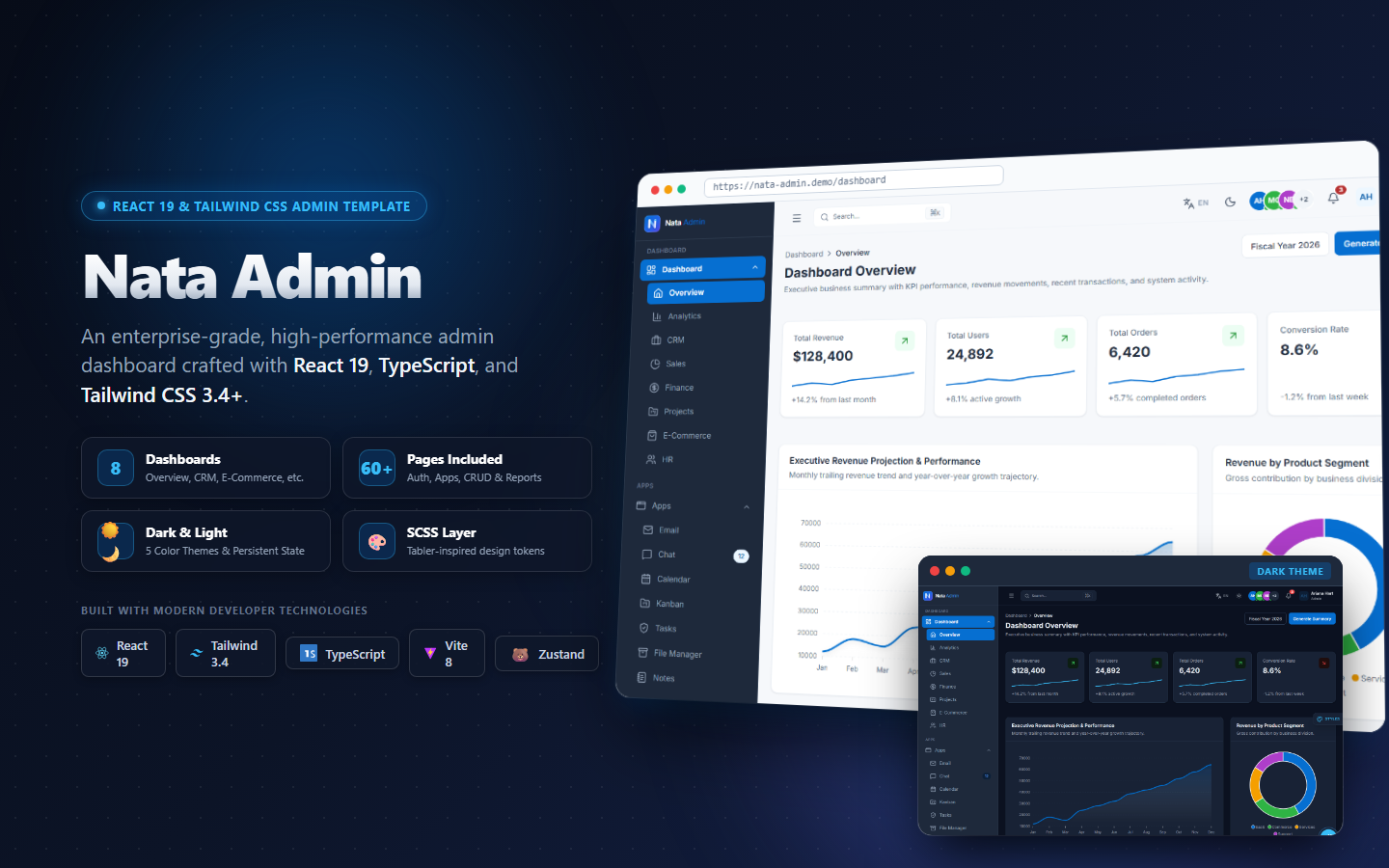
If you want to bypass 300+ hours of boilerplate setup (data table pagination, dark mode providers, session handling, and role-based access control), Nata Admin Next.js 16 provides this exact production architecture pre-built.
Key Engineering Features in Nata Admin:#
- Zero-FOUC Dark Mode: Class-based theme toggle with inline script blocking hydration flash.
- Strict Zod Validated Server Actions: Type-safe mutations with optimistic UI updates.
- Unified SCSS Design Tokens: Centralized variables in
src/assets/scssfor rapid white-labeling.
4. Securing Server Actions Against BFLA and IDOR#
Never trust client-submitted identifiers in Server Actions:
// src/app/(admin)/siteadmin/actions/workspace.actions.ts
'use server'

import { getSession } from '@/lib/auth/session'
import { db } from '@/lib/db'
import { revalidatePath } from 'next/cache'

export async function updateWorkspaceSettingsAction(data: { name: string }) {
  const session = await getSession()
  if (!session || session.role !== 'super_admin') {
    return { error: 'Unauthorized: Admin privileges required.' }
  }

  // Parameterized safe update
  await db.update(...)
  revalidatePath('/siteadmin/settings')
  return { success: true }
}
Summary & Action Checklist#
- Structure routes into
(storefront)and(admin)route groups. - Fetch data directly in Server Components using Drizzle ORM.
- Keep interactive leaves isolated with
'use client'. - Validate all mutations on the server with Server Actions and session authentication.
- Explore Nata Admin Next.js 16 — The flagship Next.js 16 production dashboard.